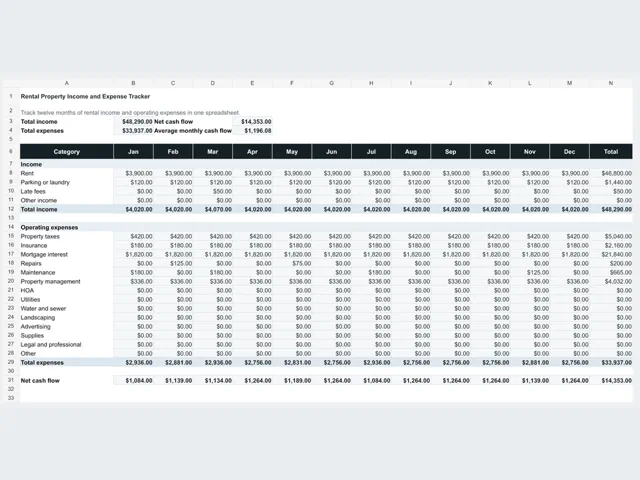
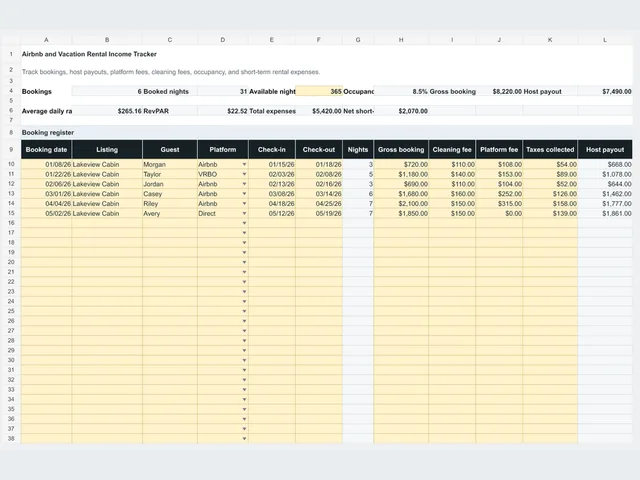
Schedule E (Form 1040) is where US taxpayers report supplemental income and loss, including income from rental real estate. Part I is the rental section: each property gets its own column, with rents received near the top, expense categories in the middle, and net rental income at the bottom.
Most landlords do not file this worksheet with a return. It is a recordkeeping layer that collects the same categories as the form, so completing the official form or handing records to a preparer takes minutes instead of a weekend.
The worksheet keeps one row per property and one column per expense category. The table shows how each column lines up with Part I of Schedule E.
| Worksheet column | Schedule E Part I line | Notes |
|---|
| Rents received | Line 3 | Gross rent collected for the year, before expenses |
| Insurance | Line 5 | Premiums paid for the rental period |
| Mortgage interest | Line 6 | Interest paid to banks and lenders, not principal |
| Repairs | Line 8 | Fixing what is broken; improvements follow different rules |
| Taxes | Line 9 | Property taxes paid during the year |
| Utilities | Line 10 | Only utilities the owner pays |
| Management fees | Line 12 | Property manager and platform management fees |
| Legal / professional | Line 13 | Attorney, accounting, and eviction-related professional costs |
| Supplies | Line 14 | Consumable supplies bought for the property |
| Cleaning / maintenance | Line 15 | Cleaning, lawn, and routine maintenance services |
| Other expenses | Line 19 | Itemize here: HOA dues, advertising, commissions, and similar costs |
| Total expenses | Line 20 | Sum of the expense columns |
| Net rental income | Line 21 | Rents received minus total expenses |
The worksheet separates expense categories because the form separates them. Mortgage interest has its own column; loan principal does not appear at all. Repairs that keep the property in working condition are expenses, while improvements that add value or extend the useful life are generally capitalized and recovered through depreciation instead.
Three items cause most of the confusion. A tenant security deposit is not income when you receive it if it must be returned. Escrow payments blend principal, interest, taxes, and insurance, so pull the annual figures from the lender statement rather than the monthly payment. And personal spending from the same account is never a rental expense, which is why many owners keep a dedicated account per property.
The sample Main Street Duplex collected $46,800 of rent. Insurance was $1,800, mortgage interest $21,840, repairs $1,450, property taxes $4,200, management fees $3,744, legal and professional costs $650, supplies $480, cleaning and maintenance $720, and other expenses $300. Total expenses of $35,184 leave $11,616 of net rental income for that property.
The portfolio view totals the same columns across properties: $113,520 of rent and $98,717 of expenses across the three sample properties, for $14,803 of net rental income. One sample property shows a loss for the year, which is normal after heavy turnover or a large repair, and the worksheet is designed to show that clearly rather than hide it.
These are the errors that most often force landlords to reconstruct records late in filing season.
- Reporting mortgage principal on the mortgage interest line
- Expensing improvements, such as a new roof or remodel, that should be depreciated
- Treating a refundable security deposit as rent before it is actually earned
- Combining several properties into one row instead of giving each property its own column
- Mixing personal spending with rental spending in the same account
- Waiting until filing season to rebuild twelve months of records that were never tracked
The worksheet organizes records; it does not decide how tax rules apply to your situation. Bring in a qualified tax professional for questions about passive activity loss limits, depreciation and cost recovery, repairs versus improvements, short-term rental rules, and multi-state filings.
This worksheet is a recordkeeping aid, not tax advice and not an official IRS form. Using it does not replace filing Schedule E, and the categories shown are simplified. Confirm how the rules apply to your return with a qualified tax professional.