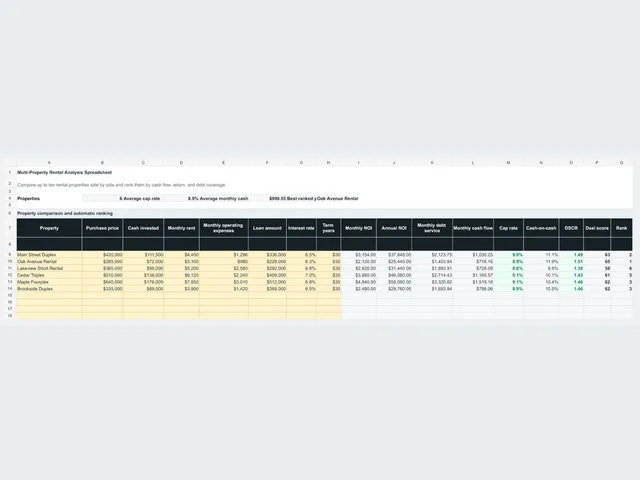
Edit the highlighted input cells; calculated results update automatically.

What's inside

  • Property, purchase-price, loan, rate, and term inputs
  • Rent, other income, and vacancy assumptions
  • Property tax, insurance, repairs, management, HOA, utilities, and other expense inputs
  • Automatic monthly and annual cash flow
  • Total cash invested with down payment, closing costs, and initial rehab
  • Cap rate, cash-on-cash return, and DSCR calculations

Best for: Individual landlords · Small property investors · Buy-and-hold investors

How to calculate rental property cash flow

Start with monthly rent and other property income. Subtract a vacancy allowance and operating expenses, then subtract the mortgage payment. What remains is monthly cash flow.

Annual cash flow is the monthly result multiplied by twelve. The calculator keeps the formula path visible so you can change the rent, loan terms, or expense assumptions and see the effect immediately.
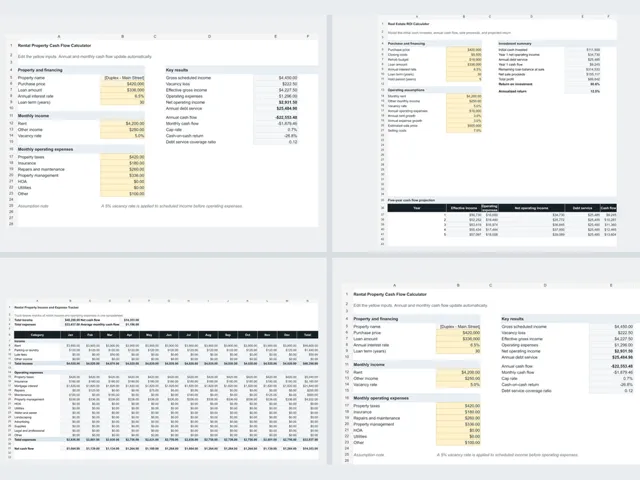
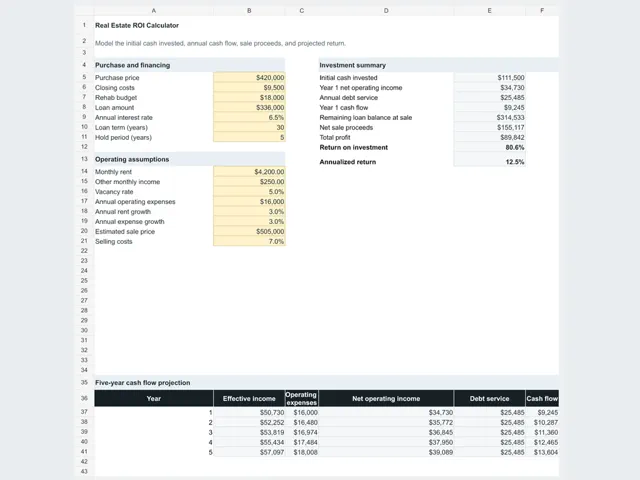
Rental property calculator formulas

Net operating income (NOI) is rental income minus vacancy and operating expenses, before debt service. Cap rate is annual NOI divided by the purchase price.

Cash-on-cash return is annual pre-tax cash flow divided by the cash invested. DSCR is annual NOI divided by annual debt service. Lenders commonly review DSCR when underwriting a rental loan.

What to compare before making an offer

Cash flow, cap rate, cash-on-cash return, and DSCR describe different parts of the same deal. A property can show a reasonable cap rate and still produce weak cash flow when the mortgage payment is high.

Test the actual loan terms, taxes, insurance, repairs, management, vacancy, and HOA costs you expect. Treat the result as a screening estimate, not an appraisal or investment recommendation.

Use in Google Sheets

Open a ready-made copy in Google Sheets, or keep the XLSX file for Excel.

Make a copy in Google Sheets

Made for practical spreadsheet work by the Digital Store team. Formulas and example values are checked against the downloadable workbook; updated October 7, 2026. Use the file as a planning aid and verify decisions with your own records or professional advisor where appropriate.

Worked example

Worked example from the included workbook

Inputs

Purchase price
$420,000
Closing costs + rehab
$27,500
Loan amount
$336,000 at 6.5% for 30 years
Monthly rent + other income
$4,450
Vacancy rate
5%
Monthly operating expenses
$1,296

Outputs

Monthly net operating income
$2,931.50
Annual net operating income
$35,178.00
Annual cash flow
$9,693.02
Cap rate
8.4%
Total cash invested
$111,500
Cash-on-cash return
8.7%
DSCR
1.38

These are the sample values and formulas included in the workbook, not a forecast or investment recommendation.

Related free templates

View Investment Calculators

Customer feedback

No reviews yet. Try the file and be the first to share how it worked for you.
Write a review

Download this file first to unlock review submission.

Your rating

FAQ

What is a good DSCR for a rental property?

Many investors look for a DSCR of at least 1.20, but lender requirements vary by loan program, property type, and borrower profile. Use the calculator to test the actual loan terms you are considering.

What should I enter for closing costs and rehab?

Enter the total cash paid for closing costs, initial repairs, and renovation before the property is ready. The workbook adds that amount to the down payment when it calculates total cash invested and cash-on-cash return.

Does the calculator include the mortgage payment?

Yes. The workbook includes loan amount, interest rate, and term inputs so debt service can be deducted from NOI to estimate cash flow.

What expenses should I include in cash flow?

Include property tax, insurance, repairs, maintenance, management, HOA dues, utilities paid by the owner, vacancy, and other recurring operating costs. Mortgage interest and principal are handled separately as debt service.

Can I use the rental property calculator in Google Sheets?

Yes. Download the XLSX workbook and import it into Google Sheets, or use the import steps shown on this page. The input cells and formulas remain editable.

Questions? Contact us