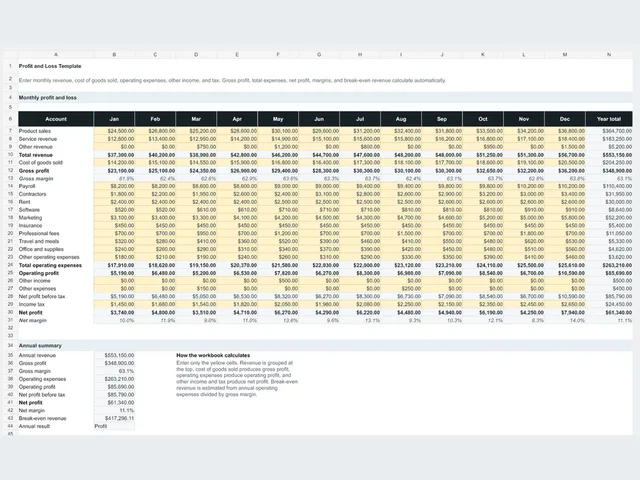
Edit the highlighted input cells; calculated results update automatically.
What's inside
- Dashboard with income, expenses, net profit, margin, transaction counts, and top categories
- 250-row income and expense transaction register
- Type, category, and payment-method dropdowns
- Monthly summary with SUMIFS calculations and cumulative net profit
- Income and expense category summaries and instructions
Best for: Small business owners · Freelancers and service businesses · Bookkeeping and tax-prep workflows
Use in Google Sheets
This download is an XLSX workbook. Import it into your own Google Sheet to use it there.
- 1. Download the file, then opensheets.new.
- 2. In Google Sheets, choose File > Import > Upload.
- 3. Select Replace spreadsheet, then edit the yellow input cells.
Made for practical spreadsheet work by the Digital Store team. Formulas and example values are checked against the downloadable workbook; updated October 7, 2026. Use the file as a planning aid and verify decisions with your own records or professional advisor where appropriate.
Worked example
Twelve-transaction sample included in the workbook
Inputs
- Sample transactions
- 12 across January through April 2026
- Income sample
- $7,329
- Expense sample
- $2,508.65
- Register capacity
- 250 transaction rows
Outputs
- Net profit
- $4,820.35
- Profit margin
- 65.8%
- Top income category
- Service revenue
- Top expense category
- Contractors
- Average monthly net
- $1,205.09
Replace the sample transactions with your own records. The workbook supports bookkeeping but does not replace accounting or tax advice.
Related free templates
View Bookkeeping & P&LCustomer feedback
No reviews yet. Try the file and be the first to share how it worked for you.
Write a review
Download this file first to unlock review submission.
FAQ
Is the sample free?
Yes. The base workbook or pack shown on this page can be downloaded without payment, an account, a credit card, or an email address.
What software do I need?
The product is supplied as an editable spreadsheet or pack designed for Microsoft Excel and Google Sheets.
Can I edit it?
Yes. Inputs, labels, categories, and sample records can be changed in your spreadsheet app. Formulas are intended to remain intact when you replace the example values.
What does the Bookkeeping Spreadsheet Template help me do?
Track income and expenses, review monthly profit, and keep transaction records organized for bookkeeping and tax preparation. It includes dashboard with income, expenses, net profit, margin, transaction counts, and top categories.
Is this a subscription?
No. The current download is free and does not create a recurring subscription, account, or payment obligation.